Ready-Made vs. Custom Solutions: Making the Right Choice


These days, the software market feels a bit like an all-you-can-eat buffet — there’s a SaaS tool for absolutely everything. Project management? There’s a dozen. Analytics? Take your pick. With so many already available platforms fighting for your attention, it’s easy to lose track of what’s actually the smarter long-term move: “renting” software that “almost fits” or building something unique that’s truly yours.
Understanding Ready-Made Solutions: An Overview
Ready-made tools are affordable upfront, and you obviously skip the lengthy development stage. But as companies grow, they often discover that convenience has an expiration date. The bigger and more complex your operations become, the more specific your internal workflows get — and, as it often happens, no amount of “customization options” in a SaaS dashboard can fully replicate them.
Statistics back this up. Around 70% of businesses start with SaaS tools, but as they grow, nearly 45% eventually migrate to some form of custom-built options. Over a five-year horizon, custom systems deliver on average 10–15% higher ROI, mostly due to lower per-user licensing costs and greater process efficiency. In other words, building your own product might not be the fastest route—but it often ends up being the cheaper and smarter one in the long run. The takeaway? SaaS is great when you’re small and fast; custom software wins when you’re big and complex. Every company eventually hits that moment when “good enough” software just isn’t good enough anymore.
What Are Ready-Made Solutions, and How Do They Work?
Ready-made, or “off-the-shelf,” solutions are prebuilt software products you can start using almost immediately. Think of them like a grab-and-go toolkit: everything’s in the box, you don’t need to reinvent the wheel, just pick the tool and start working. Plus, such products aren’t just for startups—they’re everywhere. Mid-sized and even large companies often rely on SaaS tools.
Main advantages? Speed. Ready-to-use instruments let you test ideas, onboard teams, and start producing results ASAP. The trick is to choose one that’s flexible enough to tweak workflows, connect with other apps via APIs, and scale to some point. Plus, predictable costs and instant support. You pay a subscription, get updates automatically, and can usually find a large community or help center when things go sideways.
The downside? Standardized software can only go so far. No matter how many customization options it offers, off-the-shelf tools can’t fully capture unique internal processes. That’s where companies start thinking about custom options once they grow bigger or need deeper integrations.
Exploring the World of Off-the-Shelf Solutions
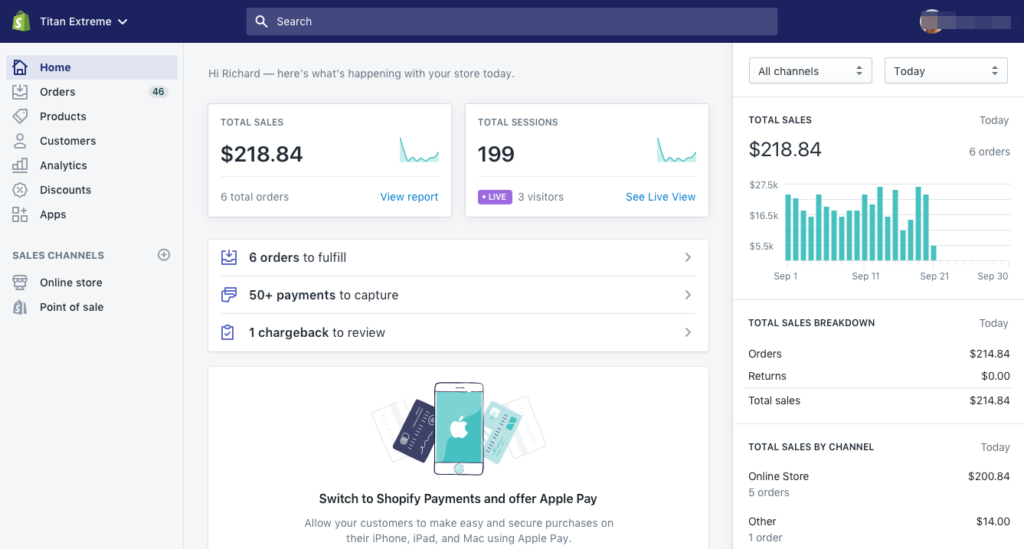
The market offers numerous variants to choose from for almost every industry. A small online store might launch Shopify in a few days to start selling:
A growing marketing agency could organize projects using Trello:

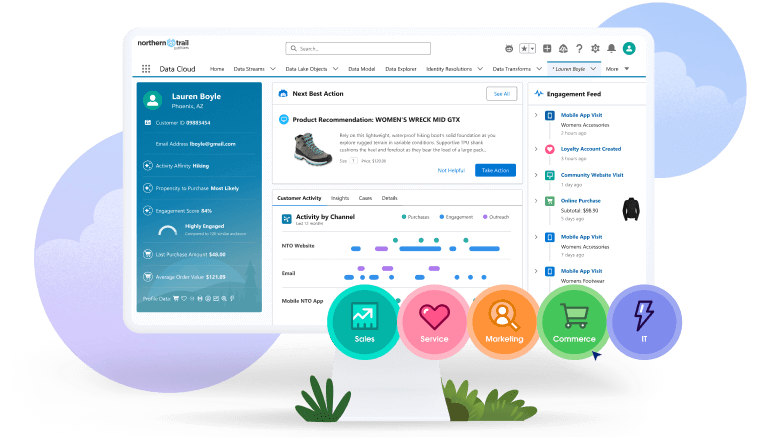
CRMs like Salesforce or HubSpot are widely used in sales-heavy sectors—real estate, subscription services, marketing agencies—because managing leads and customers usually follows a repeatable process:
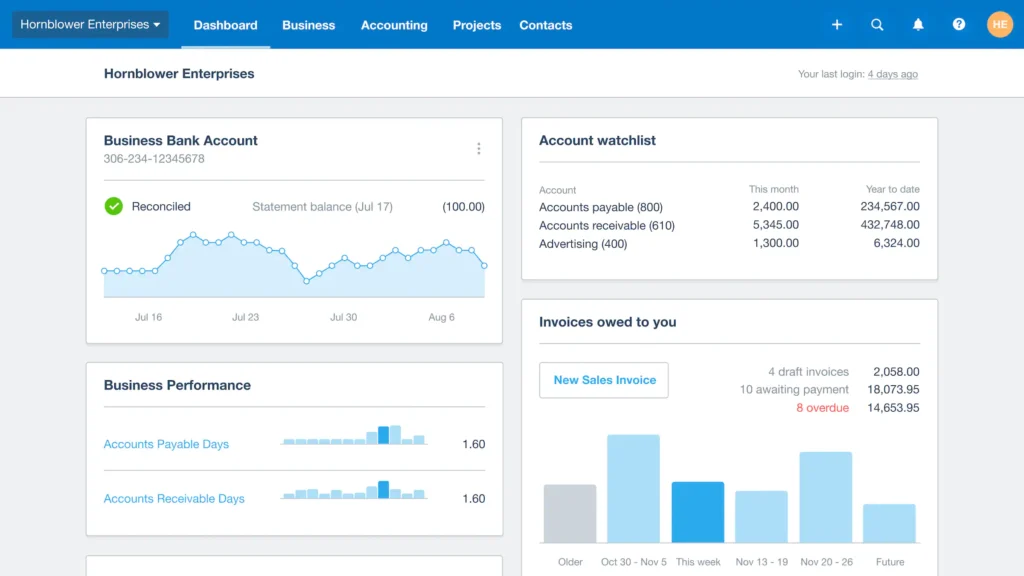
Small service businesses often pick QuickBooks or Xero for accounting: bookkeeping is essential, but building a custom system for that? Not necessary for sure!
Platforms like Slack for communication or Google Workspace for collaboration are practically standard in many offices:

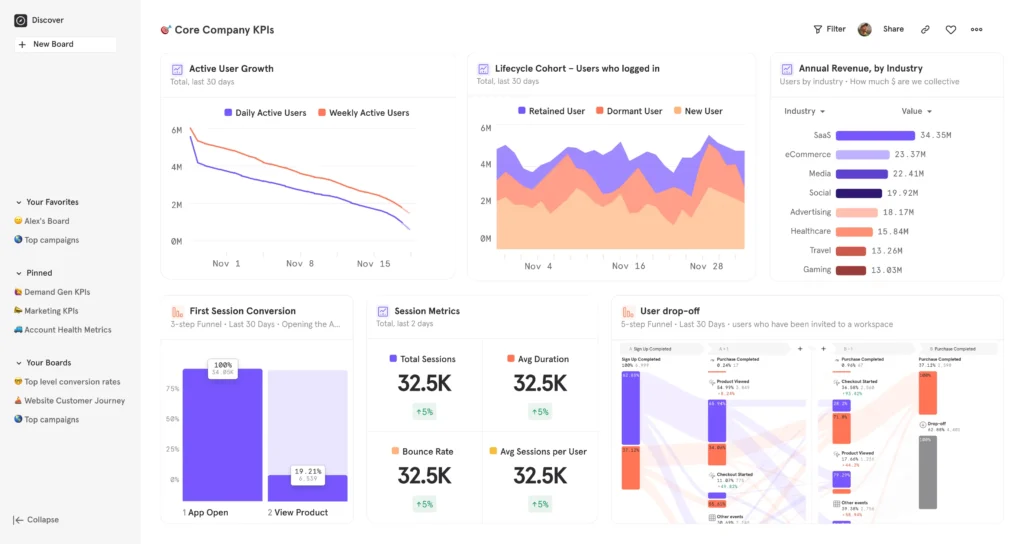
Analytics platforms like Google Analytics or Mixpanel let teams track performance without building custom dashboards:
Ready-Made Solutions Options
Industry-specific workflows aren’t just operational details — they shape entire software strategies. That’s why the software market evolved into industry-specific ecosystems of such available ready-made solutions. Wherever processes are repeatable — accounting, scheduling, campaign management, or inventory control — building from scratch rarely makes sense. It’s faster, cheaper, and far less risky to adopt proven SaaS platforms designed around those established patterns.
In retail and e-commerce, businesses can cover quite a few core processes with standard platforms. That includes launching online stores, managing product catalogs and stock levels, syncing orders and payments, integrating with delivery services etc. Basically, the “online shop in a box” experience with everything from checkout to warehouse.
Marketing and advertising agencies rely heavily on tools that help them track clients, manage campaigns, automate outreach. Standard CRMs, PM platforms, and content automation tools cover 80% of what most teams need right out of the gate.
Finance and accounting teams aren’t about to build their own tax calculators — for good reason. They stick to reliable tools for bookkeeping, invoicing, expense tracking, compliance.
In education and e-learning, most organizations just need a reliable way to host courses, track student progress, and issue certificates. Learning Management Systems (LMS) and course platforms take the headache out of digital teaching.
A Closer Look at the Most Common Tools for Ready-Made Solutions

Weighing the Pros and Cons of Off-the-Shelf Solutions
Let’s imagine a startup: an online education platform. Budgets are tight, the team has to get a lot done fast. Courses need to work, students’ progress has to be tracked, basic reporting and analytics in place, plus accounting and customer support. Building all of this from scratch would take MONTHS—and money the startup doesn’t have. In this situation, a huge investment is unreasonable and most likely not even possible. Instead, they choose Teachable to handle courses and student tracking plus Google Sheets to cover basic reporting. At the same time, our young ambitious team would focus on content quality and marketing to grow the user base. This approach could work for, say, the first 6–12 months. During this period, the platform should gain traction. Let’s use our example to define main pros and cons of ready-made tools.
Benefits and Drawbacks of Embracing Ready-Made Solutions
Benefits:
- Speedy implementation: Courses and student tracking can be up and running immediately.
- Lower upfront costs: Subscriptions cover payments, analytics, and basic operations.
- Automatic updates and support: Platforms handle maintenance and security.
- Proven reliability: Popular tools reduce the risk of bugs during early launch.
Drawbacks:
- Limited customization: Unique course workflows or reporting needs may be restricted.
- Accumulating costs: As students grow, subscription fees add up.
- Vendor lock-in: Platform changes can force adjustments.
- Security and data constraints: Student and payment data are stored externally.
These points aren’t unique to education, of course. In any industry, off-the-shelf solutions let startups move fast. But scaling and differentiation eventually require custom tools.
Understanding Custom Development: An In-Depth Analysis
Let’s go back to our example. A new course provider, just starting out, with no real client base or revenue, will naturally stick to available standard tools. They can launch courses, track student progress, handle basic reports. That’s enough to test ideas, see what works, and start growing.
But once the platform becomes popular—students start signing up in the hundreds or thousands, courses multiply, the brand gains recognition — off-the-shelf tools really start to feel clunky. They can be limiting and even risky. After all, schools are handling sensitive student data and payment info. At that point, custom development starts to make sense! The platform would need to build its own system to manage courses, users, analytics.
What Is Custom Development, and How Does It Differ from Ready-Made Solutions?
So, custom development means building a platform that works exactly like the company needs it to: tracking, payments, analytics, dashboards, all structured the way the team actually runs its business, rather than fitting the business into a pre-made tool.
Unlocking the Main Benefits of Custom Solutions
Once again, let’s take our educational project and analyze all business aspects here. As the platform grows, workflows get trickier, analytics get deeper, and users become more diverse. That’s when gaining full control really matters:

And that’s only a fraction of the areas where a custom platform could make the business stronger and more efficient!
When to Opt for Ready-Made Solutions vs. Custom Development
The main factors here are your priorities and requirements. Speed, low budget, standard workflows? It’s SaaS for sure. Scalability, unique workflow, long-term control? You need your own software. Let’s compare both options!
Making the Right Choice: Scenarios for Selecting Ready-Made Solutions

Determining When Custom Development is the Ideal Path

A Side-by-Side Evaluation of Ready-Made Solutions and Custom Development

In Conclusion: Navigating the Path to the Ideal Solution
Ready-made tools are great for getting off the ground fast and keeping costs low. But as soon as workflows get messy, customers pile up, or you need more control over your data, it’s worth thinking about custom software.

FAQ
-
What are some examples of ready-made solutions?
- For instance, Salesforce (CRM) or Shopify (e-commerce). They are designed for rapid deployment with minimal setup. Many allow limited customization through plugins or add-ons. If you’re wondering what is the best way to develop a ready-made solution, focus on flexibility and scalability from day one.
-
When should a business choose custom development over ready-made solutions?
- CD is preferable when your product requires unique workflows or deep integrations. It’s also ideal for businesses managing complex data structures or compliance-heavy environments. Over time, it provides greater autonomy and scalability. This approach helps teams develop ready-made solution modules internally for iterative growth.
-
Can businesses integrate ready-made solutions with custom-built software?
- Yes. Most systems offer APIs or SDKs that allow integration with custom apps. It’s a standard practice. Many companies start with popular tools and gradually expand through tailored integrations — the best way to develop a ready-made solution ecosystem for long-term success.