Step-by-step app development guide for startups and SMEs 2026


Building a successful app requires more than a great idea. Up to 90% of startups fail, and the leading cause in 42% of cases is creating something nobody wants. For business leaders and project managers at startups and small to medium enterprises, understanding the complete app development process is critical to avoiding this fate. This guide walks you through every stage from concept validation to launch, equipping you with actionable strategies to create scalable digital solutions that meet real market needs and drive sustainable growth.
Table of Contents
- Preparing Your App Development Project
- Designing For User Experience And Interface
- Choosing Development Approach: Native Vs Cross-Platform
- Testing, Launching, And Iteration Strategies
- Explore Expert App Development Services
- Frequently Asked Questions About App Development
Key takeaways
| Point | Details |
|---|---|
| Validate before building | Market research and customer personas prevent costly missteps by ensuring your app solves real problems. |
| Design drives retention | Intuitive UX/UI keeps users engaged and directly impacts your app’s success rate. |
| Choose wisely | Native offers peak performance while cross-platform reduces costs and accelerates time-to-market. |
| Test extensively | Comprehensive testing and MVP strategy minimize risk and validate market fit before full investment. |
| Iterate continuously | Post-launch feedback loops enable rapid improvements that align your app with user expectations. |
Preparing your app development project
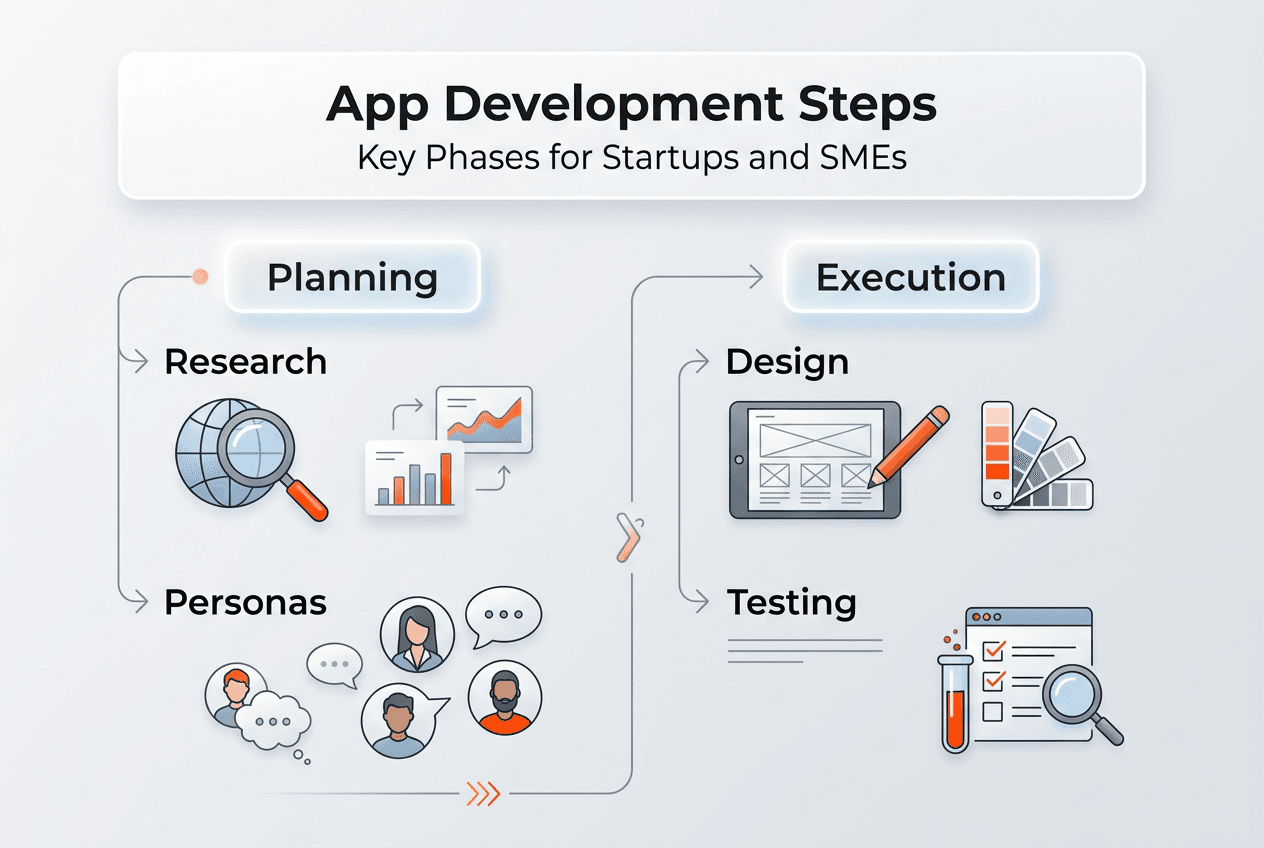
Thorough preparation separates successful apps from expensive failures. Before writing a single line of code, you need to validate your concept through rigorous market research. This means analyzing industry trends, identifying gaps your competitors haven’t filled, and confirming real demand exists for your solution. Surprisingly, 23% of organizations lack a clear market research strategy, which explains why so many apps launch to crickets.
Competitive intelligence gives you a strategic advantage that translates directly to revenue. Companies that systematically analyze competitors see 15% higher revenue growth rates compared to those flying blind. Study your competitors’ strengths, weaknesses, pricing models, and user reviews. Look for patterns in customer complaints that reveal unmet needs. This intelligence shapes your unique value proposition and helps you position your app where demand is highest and competition is weakest.
Customer personas transform abstract market data into concrete development decisions. Organizations that exceed revenue goals share one trait: 71% have documented customer personas. Create detailed profiles of your ideal users including demographics, pain points, goals, and tech habits. Interview potential customers directly. Shadow them as they use competitor apps. These insights inform everything from feature prioritization to interface design, ensuring you invest in app development that resonates with real people.
Pro Tip: Create a validation scorecard with criteria like market size, competition intensity, technical feasibility, and monetization potential. Score your app idea objectively before committing resources.
Your preparation phase should produce three deliverables:
- Market research report documenting demand, trends, and opportunity size
- Competitive analysis matrix comparing features, pricing, and user satisfaction
- Customer persona documents with behavioral insights and pain points
This foundation ensures your app concept aligns with market reality before you commit to scalable custom app development. Skip this phase and you risk building something technically impressive that nobody wants.
| Preparation Activity | Business Impact | Typical Duration |
|---|---|---|
| Market research | Validates demand and sizing | 2-3 weeks |
| Competitive analysis | Identifies differentiation opportunities | 1-2 weeks |
| Customer interviews | Reveals genuine pain points | 2-4 weeks |
| Persona development | Guides feature and design decisions | 1 week |
Designing for user experience and interface
Exceptional design is non-negotiable for app success. Poor design leads to app failure even when functionality is solid, because users judge your app within seconds of opening it. First impressions determine whether someone explores further or deletes immediately. Your UX/UI must feel intuitive, visually appealing, and aligned with user expectations shaped by apps they already love.

Common design pitfalls destroy promising apps. Cluttered interfaces overwhelm users. Inconsistent navigation patterns create confusion. Slow load times trigger abandonment. Ignoring platform conventions makes your app feel foreign on iOS or Android. Each mistake erodes trust and increases the likelihood users will switch to competitors. Professional UX and UI design services help you avoid these traps by applying proven principles and conducting usability testing before launch.
Best practices center on simplicity and user control. Minimize cognitive load by presenting one clear action per screen. Use familiar patterns like bottom navigation on mobile and hamburger menus where appropriate. Provide immediate feedback for every user action. Design for thumbs, not cursors, with touch targets at least 44 pixels. Maintain visual hierarchy through size, color, and spacing so users instantly understand what matters most. These fundamentals create experiences that feel effortless.
Pro Tip: Conduct five-second tests where users view a screen briefly then describe what they remember. If they can’t recall the primary action, your design needs simplification.
Strong UX design accelerates startup growth measurably. The UX/UI impact on startup growth extends beyond aesthetics to retention, conversion rates, and customer lifetime value. Users who enjoy your interface return more frequently, recommend your app to others, and tolerate minor bugs. Conversely, frustrating experiences drive users away permanently regardless of how useful your features might be.
Prioritize these design elements:
- Clear information architecture that matches user mental models
- Consistent visual language across all screens and interactions
- Responsive feedback for loading states and user actions
- Accessibility features including readable fonts and sufficient color contrast
- Onboarding flows that demonstrate value within 30 seconds
Invest time in wireframing and prototyping before development begins. Test prototypes with real users to identify friction points early when changes cost hours instead of weeks. Iterate based on feedback, refining the experience until users can complete core tasks without hesitation. This upfront design investment prevents expensive rework later and positions your app for improving UX design as you scale.
Choosing development approach: native vs cross-platform
Your technical approach shapes everything from budget to user experience. Native development builds separate apps for iOS and Android using platform-specific languages like Swift and Kotlin. This approach delivers the best performance and user experience but requires the most time and money since you’re essentially building two apps. Choose native when performance is critical, you need advanced platform features, or you have budget for parallel development teams.
Cross-platform frameworks like Flutter and React Native let you write code once and deploy to both platforms. These tools provide near-native performance at lower cost and faster time-to-market compared to building natively. You maintain a single codebase, which simplifies updates and reduces long-term maintenance costs. Modern cross-platform frameworks have matured significantly, closing the performance gap for most app types.
Pro Tip: Evaluate your app’s complexity and performance requirements honestly. Simple apps with standard features thrive on cross-platform, while graphics-intensive games or apps requiring deep OS integration benefit from native development.
The decision involves weighing multiple factors:
| Factor | Native Development | Cross-Platform Development |
|---|---|---|
| Development cost | Highest (two codebases) | Lower (single codebase) |
| Time to market | Slower (parallel builds) | Faster (unified development) |
| Performance | Maximum (optimized per platform) | Near-native (improving continuously) |
| Access to features | Immediate (full platform APIs) | Slightly delayed (framework updates) |
| Maintenance | Complex (sync two codebases) | Simpler (one codebase) |
Your choice impacts time-to-market significantly. Startups racing to validate ideas often prefer cross-platform to launch faster and gather user feedback sooner. Established companies with larger budgets might choose native to maximize polish and performance. Consider your competitive landscape: if rivals are already in market, speed matters more than perfection.
User experience differences have narrowed considerably. Well-built cross-platform apps feel indistinguishable from native ones for most users. The key is following platform-specific design guidelines even when using shared code. Flutter and React Native both support platform-aware UI components that adapt automatically. Poor cross-platform apps ignore these nuances and feel generic on both platforms.
Explore cross-platform development guide resources to understand technical tradeoffs in depth. Consider starting cross-platform to validate your concept quickly, then rebuilding native components only where performance demands it. This hybrid approach balances speed and quality effectively. Whatever you choose, align your decision with business goals rather than developer preferences. The right custom app development options serve your users and timeline first.
Partner with experienced mobile app development services to navigate these technical decisions confidently. Skilled teams help you choose the optimal approach based on your specific requirements, budget constraints, and market timing.
Testing, launching, and iteration strategies
Comprehensive testing separates professional apps from amateur projects. Testing validates that your app works correctly, performs well under load, and delivers the intended user experience across devices. Start with unit tests that verify individual functions, then integration tests confirming components work together. Conduct usability testing with real users to catch confusing interfaces and unexpected behaviors. Performance testing ensures your app remains responsive even with poor network conditions or older devices.
The MVP approach minimizes risk and accelerates learning. Focus on a Minimum Viable Product to validate your app idea, gather user feedback, and minimize initial capital expenditure. An MVP includes only core features necessary to solve the primary user problem. This lean approach lets you test assumptions quickly without betting everything on untested features. Users tell you what they actually need rather than what they claim to want.
Pro Tip: Define success metrics before launching your MVP. Track activation rate, retention, and core feature usage to measure whether you’re solving real problems or need to pivot.
Developing an effective MVP follows a clear process:
- Identify the single most important problem your app solves
- Design the simplest solution that addresses this problem completely
- Build only features essential to that core solution
- Launch to a small user group and gather detailed feedback
- Iterate rapidly based on actual usage patterns and user requests
Starting with a Minimum Viable Product validates your app idea with real users before adding advanced features. This validation prevents the common trap of building elaborate functionality nobody uses. Each iteration should be informed by data showing how users actually interact with your app, not assumptions about what they might want.
Iterative development based on real feedback creates apps that users love. Release updates frequently, addressing bugs quickly and adding features users request most. Monitor analytics to identify where users struggle or abandon tasks. Conduct regular user interviews to understand the why behind the data. This continuous improvement cycle keeps your app aligned with evolving user needs and market conditions.
Your testing and launch checklist should include:
- Functional testing across all supported devices and OS versions
- Performance benchmarking for load times and responsiveness
- Security audits to protect user data and prevent vulnerabilities
- Beta testing with a diverse user group representing your target audience
- App store optimization including compelling descriptions and screenshots
- Marketing plan to drive initial downloads and awareness
Review QA testing case study examples to see how thorough testing prevents post-launch disasters. Quality assurance isn’t optional; it protects your reputation and user trust. Apply mobile app development tips throughout your process to avoid common pitfalls that derail projects.
Post-launch, establish feedback loops that inform your roadmap. Use in-app surveys, app store reviews, support tickets, and usage analytics to understand user satisfaction. Prioritize improvements that impact the most users or remove significant friction points. Remember that launching is just the beginning. Successful apps evolve continuously based on user needs, competitive pressures, and technological advances. Understanding why startups need mobile apps helps maintain focus on business outcomes as you iterate.
Explore expert app development services
Transforming your validated app concept into a market-ready product requires specialized expertise across design, development, and deployment. Ein-des-ein brings over 80 professionals with deep technical knowledge in native and cross-platform mobile development, complex UX/UI design, and full-cycle web development to help startups and SMEs execute successfully.
Our team specializes in creating scalable digital solutions using modern technologies like React, Node.js, NestJS, TypeScript, and Python. We handle everything from initial concept validation through launch and beyond, aligning technical decisions with your business objectives. Whether you need mobile app development services for iOS and Android, expert UX and UI design services to maximize user engagement, or comprehensive web development services to complement your mobile presence, we provide the expertise to execute your vision efficiently. We also help you organize dedicated offshore development teams, giving you access to top talent while controlling costs. Contact Ein-des-ein to discuss how we can support your app development journey.
Frequently asked questions about app development
What is the typical timeline for developing a startup app?
Most MVP apps take 3 to 6 months from concept to launch, depending on complexity and feature scope. Simple apps with basic functionality can launch in 8 to 12 weeks, while complex apps requiring custom integrations or advanced features may need 6 to 12 months. Cross-platform development typically reduces timelines by 30 to 40% compared to building separate native apps.
How much does native development cost compared to cross-platform?
Native development typically costs 60 to 100% more than cross-platform because you’re building and maintaining two separate codebases for iOS and Android. A cross-platform app might cost $50,000 to $150,000 for an MVP, while the same app built natively could run $100,000 to $300,000. Long-term maintenance costs also favor cross-platform due to the single codebase.
What are the main benefits of starting with an MVP?
An MVP validates your core concept with minimal investment, letting you test assumptions before committing to full development. You gather real user feedback that guides feature prioritization, avoiding wasted effort on functionality nobody wants. MVPs also accelerate time-to-market, helping you establish presence before competitors and start generating revenue or attracting investors sooner.
How do I choose between Flutter and React Native for cross-platform development?
Flutter offers superior performance and a rich widget library, making it ideal for visually complex apps requiring smooth animations. React Native provides access to a larger developer community and easier integration with existing React web projects. Consider Flutter if performance and design flexibility are priorities; choose React Native if you value ecosystem maturity and JavaScript expertise on your team.
Why is UX/UI design so critical for user retention?
Users form opinions about your app within 50 milliseconds of opening it, and poor design drives immediate abandonment regardless of functionality quality. Intuitive interfaces reduce friction, helping users accomplish goals effortlessly, which increases satisfaction and return visits. Strong UX design also differentiates your app in crowded markets where features are often similar across competitors.
What testing should I prioritize before launching my app?
Prioritize usability testing with real users to identify confusing interfaces, functional testing to verify all features work correctly, and performance testing to ensure responsiveness across devices and network conditions. Security testing protects user data and prevents vulnerabilities that could damage your reputation. Beta testing with a diverse user group catches edge cases and platform-specific issues before public launch.