Complex web applications for SMBs: 2026 complete guide


Think complex web applications are only for tech giants? That’s a common misconception holding back small to medium businesses. Today, SMBs and startups leverage these powerful tools to compete, scale, and streamline operations. This guide breaks down what complex web applications are, how they work, and why they might be your next smart investment for sustainable growth.
Table of Contents
- Defining Complex Web Applications
- Technical Architecture And Scalability
- Importance Of Ux/Ui Design In Complex Web Apps
- Common Misconceptions About Complex Web Applications
- Custom Vs Off-The-Shelf Solutions
- Development Process, Timelines, And Offshore Dedicated Teams
- Security And Maintenance Considerations
- Enhance Your Growth With Custom Complex Web Applications
- Frequently Asked Questions
Key takeaways
| Point | Details |
|---|---|
| Complex web apps integrate multiple systems | They connect databases, APIs, and microservices to support advanced business workflows beyond basic websites. |
| Architecture choices impact scalability | Microservices architectures can improve scalability significantly compared to traditional monolithic approaches. |
| Custom solutions often outperform off-the-shelf | Tailored apps offer better workflow alignment, security controls, and long-term scalability for unique business needs. |
| User experience drives adoption | Poor UX causes most web app abandonment, making design critical for business success and user retention. |
| Security requires ongoing attention | Web application threats increase annually, demanding continuous vulnerability assessments and proactive maintenance. |
Defining complex web applications
Complex web applications go far beyond simple websites displaying static information. These sophisticated digital tools integrate multiple backend systems including databases, third-party APIs, and often microservices architectures. They process extensive data sets, automate intricate business workflows, and provide dynamic, personalized experiences for different user roles.
The key distinction lies in functionality depth. While a basic website might showcase your products or services, a complex web application manages inventory in real time, processes transactions, generates analytics dashboards, and connects with your CRM, accounting software, and supply chain systems. This integration creates a central hub for business operations.
For SMBs and startups, complex web applications solve specific operational challenges. They might automate customer onboarding, manage multi-step approval workflows, or provide self-service portals that reduce support tickets. The feature richness supports growth without proportional increases in staff or manual processes.
Key characteristics include:
- Multi-user access with role-based permissions and security controls
- Real-time data synchronization across different business systems
- Advanced business logic handling complex calculations and decision trees
- Scalable architecture supporting growing user bases and data volumes
- Integration capabilities with existing tools and external services
Technical architecture and scalability
Architecture decisions shape how well your web application performs as your business grows. Two primary approaches dominate: monolithic and microservices. Monolithic applications bundle all functionality into a single codebase, which works well for smaller projects but can become unwieldy as complexity increases. Microservices architectures improve scalability by up to 40% compared to monolithic applications by breaking functionality into independent services that can be developed, deployed, and scaled separately.
Cloud-based hosting has become the standard deployment model for complex web applications. Platforms like AWS, Google Cloud, and Azure provide elastic infrastructure that scales resources automatically based on demand. This eliminates the need for upfront hardware investments and allows you to pay only for what you use.

Scalability metrics matter for long-term planning. Response time, concurrent user capacity, and database query performance all affect user experience. For SMBs planning growth, choosing an architecture that can build scalable web apps 2026 avoid failures becomes critical. A well-designed system handles traffic spikes during peak periods without crashing or slowing down.
| Architecture Type | Scalability | Maintenance | Best For |
|---|---|---|---|
| Monolithic | Vertical scaling only | Simpler initially | Small, stable applications |
| Microservices | Horizontal and vertical | More complex | Growing, evolving businesses |
| Serverless | Auto-scaling | Minimal infrastructure | Event-driven workloads |
Pro Tip: Start with a modular monolithic approach if you’re unsure about microservices. This lets you separate concerns in your codebase while avoiding the operational complexity of distributed systems until you truly need it.
Importance of UX/UI design in complex web apps
Even the most powerful backend means nothing if users can’t navigate your application effectively. Research shows 73% of users abandon web applications due to poor user experience, not functionality. For complex applications handling multiple workflows and user roles, intuitive design becomes even more critical.
Complex web applications typically serve diverse user groups with different needs and technical skill levels. Your sales team needs quick access to customer data, while administrators require detailed control panels for system configuration. Effective ux and ui design creates distinct interfaces for each role without sacrificing consistency or brand identity.
Good UX/UI design reduces training time and support costs. When interfaces follow familiar patterns and provide clear feedback, new users become productive faster. Visual hierarchy guides users through complex workflows step by step, reducing errors and frustration. This efficiency translates directly to ROI through higher adoption rates and fewer abandoned tasks.
Key UX/UI considerations include:
- Clear information architecture organizing features logically
- Responsive design ensuring usability across devices and screen sizes
- Accessibility compliance making applications usable for people with disabilities
- Performance optimization minimizing load times and perceived latency
- Consistent design patterns creating predictable, learnable interfaces
Pro Tip: Involve actual users in design validation through usability testing. Watching someone struggle with a workflow you thought was intuitive reveals blind spots no amount of internal review can catch. The role of ux/ui design in startups growth impact demonstrates how early investment in design drives long-term success.
Common misconceptions about complex web applications
Many SMB decision-makers hesitate to explore complex web applications based on outdated assumptions. The biggest myth is that these solutions remain exclusive to large corporations with massive IT budgets. Today’s development tools, cloud infrastructure, and offshore team options make sophisticated applications accessible to businesses of all sizes.
Another common misconception suggests off-the-shelf software can handle any business need. While packaged solutions work well for standardized processes, they often create workarounds and inefficiencies for unique workflows. The hidden costs of adapting your business to software limitations frequently exceed the investment in a custom solution.
Timeline expectations also mislead many decision-makers. Some assume complex applications take years to develop, while others expect full-featured systems in weeks. Reality falls somewhere between, typically ranging from three to nine months depending on scope and complexity. Rushing development sacrifices quality, while perfectionism delays time to market unnecessarily.
Key misconceptions to avoid:
- Complex apps require massive budgets only large companies can afford
- Off-the-shelf solutions always cost less than custom development
- Development timelines are either impossibly long or unrealistically short
- You need an in-house technical team to maintain custom applications
- Simple websites can be easily upgraded to complex apps later
Custom vs off-the-shelf solutions
Choosing between custom and off-the-shelf solutions represents a strategic decision affecting your business for years. Custom web applications efficiency delivery benefits include precise alignment with your unique workflows, full control over features and integrations, and the ability to pivot as your business evolves. You own the intellectual property and can modify the system without vendor dependencies.
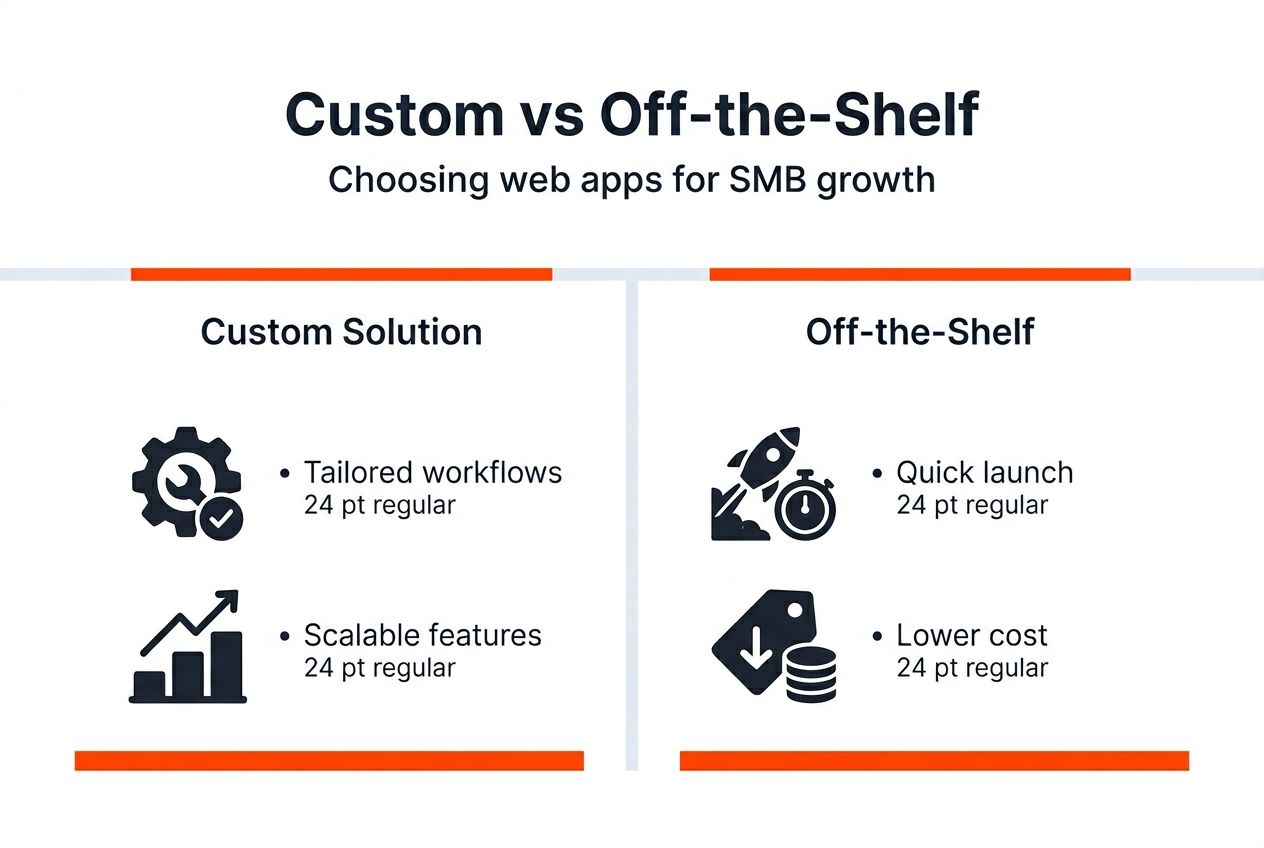
Off-the-shelf solutions offer faster initial deployment and lower upfront costs. Popular SaaS platforms provide proven functionality and regular updates maintained by the vendor. For common business processes like basic CRM or project management, these tools deliver solid value without custom development investment.
The decision often hinges on your competitive differentiation. If your workflows provide strategic advantage, custom development protects that edge. If you’re solving common problems similarly to competitors, off-the-shelf tools might suffice. Cost analysis should include long-term subscription fees, customization limitations, and data migration challenges when evaluating options.
| Factor | Custom Web Application | Off-the-Shelf Solution |
|---|---|---|
| Initial Cost | Higher upfront investment | Lower subscription fees |
| Customization | Unlimited, tailored to needs | Limited to vendor options |
| Scalability | Designed for your growth | Vendor-dependent tiers |
| Ownership | Full IP ownership | Licensed use only |
| Maintenance | Your responsibility | Vendor-managed updates |
| Timeline | 3-9 months typical | Immediate deployment |
Benefits of custom development:
- Precise workflow automation matching your processes
- Competitive advantage through unique features
- Integration flexibility with any system or API
- Long-term cost control without recurring license fees
When custom web apps business growth 2026 becomes your priority, the investment in tailored solutions typically delivers superior ROI over time.
Development process, timelines, and offshore dedicated teams
Complex web application development follows a structured process ensuring quality and alignment with business goals. The journey typically includes these phases:
- Requirements gathering and business analysis to define scope and priorities
- Architecture design establishing technical foundation and system structure
- UX/UI design creating wireframes, mockups, and user flow documentation
- Development building frontend interfaces and backend functionality iteratively
- Testing including unit tests, integration tests, and user acceptance testing
- Deployment to production environment with monitoring and support setup
- Maintenance providing ongoing updates, security patches, and feature enhancements
Timelines vary based on complexity, feature count, and integration requirements. A moderately complex application typically requires four to six months from kickoff to launch. More sophisticated systems with multiple integrations and advanced features may extend to nine months or longer.
Offshore dedicated teams offer SMBs access to specialized expertise at optimized costs. A guide to offshore team setup 35 better collaboration 2026 demonstrates how businesses achieve cost savings of 40-60% compared to local hiring while accessing global talent pools. These teams work exclusively on your projects, becoming extensions of your organization.
Successful offshore collaboration requires:
- Clear communication protocols and regular video meetings
- Well-documented requirements and acceptance criteria
- Project management tools tracking progress transparently
- Overlapping work hours for real-time collaboration
- Cultural awareness and team-building activities
Partnering with providers offering offshore software development services gives you access to developers, designers, and QA specialists without recruitment overhead. The dedicated development team scalability approach allows you to adjust team size as project phases evolve, optimizing costs throughout development.
Security and maintenance considerations
Security threats targeting web applications continue escalating. Web app security breaches increased by 15% annually over the last three years, requiring ongoing vulnerability assessments. For SMBs handling customer data, payment information, or proprietary business logic, security lapses create financial and reputational damage that can cripple growth.
Secure coding practices form the foundation of application security. Input validation prevents injection attacks, proper authentication mechanisms protect user accounts, and encryption safeguards data in transit and at rest. Regular security audits identify vulnerabilities before attackers exploit them.
Maintenance extends beyond security to include performance optimization, bug fixes, and feature updates. User needs evolve, browsers update, and third-party APIs change their specifications. Without ongoing maintenance, even well-built applications degrade over time. Planning for 15-20% of initial development costs annually for maintenance ensures your application remains secure and competitive.
Critical security and maintenance activities:
- Regular dependency updates patching known vulnerabilities
- Penetration testing simulating real-world attack scenarios
- Performance monitoring identifying bottlenecks before users complain
- Backup and disaster recovery procedures protecting against data loss
- Compliance audits ensuring adherence to industry regulations
- Feature iterations responding to user feedback and market changes
Enhance your growth with custom complex web applications
Building a complex web application that drives real business results requires specialized expertise across multiple disciplines. Ein-des-ein brings together over 80 professionals skilled in full-cycle web development services, from backend architecture to frontend polish.

Our ux and ui design services ensure your application delights users while supporting complex workflows efficiently. Whether you need microservices architecture, API integrations, or responsive interfaces that work flawlessly across devices, our team delivers solutions aligned with your business objectives. For SMBs seeking cost-effective scalability, our dedicated software development team services provide skilled offshore professionals working exclusively on your project. You gain the expertise needed to compete without the overhead of building an entire in-house technical team.
Frequently asked questions
What are the key differences between complex web applications and simple websites?
Complex web applications integrate multiple backend systems like databases and APIs, support advanced multi-step workflows, and process significant data volumes. Simple websites primarily display static information with minimal interactivity. The architectural complexity and business logic depth distinguish these categories fundamentally.
How can small businesses benefit from developing complex web applications?
Custom complex applications automate unique business processes that off-the-shelf software can’t handle efficiently, reducing manual work and errors. They scale with your growth without forcing you into rigid vendor pricing tiers. The competitive advantage from tailored functionality often justifies the initial investment through improved efficiency and customer experience.
What should I expect regarding timelines and costs when planning a complex web application?
Typical projects range from four to nine months depending on feature complexity and integration requirements. Costs vary widely based on scope, but offshore dedicated teams can reduce expenses by 40-60% compared to local development. Clear requirements and phased delivery milestones help manage both timeline and budget expectations effectively.
Are off-the-shelf solutions ever sufficient for complex web application needs?
Off-the-shelf solutions work well for standardized business processes where customization isn’t a competitive differentiator. If your workflows closely match common industry patterns and you don’t need unique features, packaged software offers faster deployment. However, businesses with proprietary processes or specific integration needs typically outgrow these limitations quickly.